Template guide · Sidebar profiles · opens Harbor
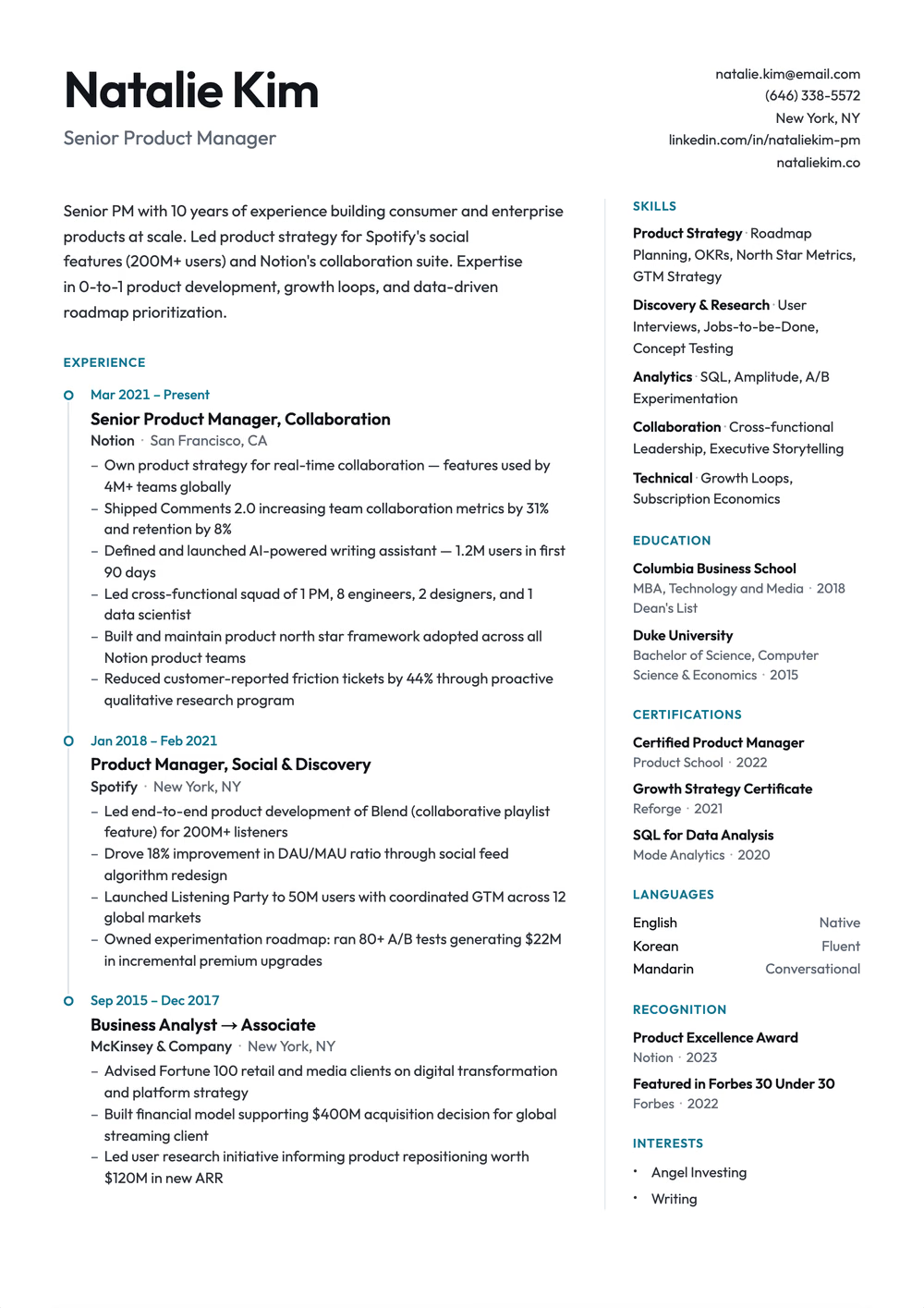
Visual polish for resumes a person reads first. This template sets your roles on a hairline timeline, with the dates above each one, and keeps skills and credentials in a right-hand rail. It has no photo.
Build, edit, and preview free. Finished resume downloads require a purchase. See download options.
Spec sheet
Two-column timeline resume: jobs on a hairline timeline with the dates above each role, and a right rail for skills and credentials
Extraction certified
Why this shape
The modern professional template is designed for candidates who want their resume to look polished when it lands in front of a recruiter. It uses one accent color, a hairline timeline and a right-hand rail to create visual interest. The same design choices are ones many applicant tracking systems read poorly, so pair it with a single-column template when you apply through an online portal.
Read before you apply through hiring software
Applying through an online job portal? Use a single-column template for the portal, and keep this one for emailing a recruiter or handing over in person.
Open the ATS-Optimized guideRead by the machine
A rail that some hiring software reads into the main column.
Declared layout score
80/100
A structural rating the template declares, not your odds.
Hiring-software test
Passed
A dense sample export came back with every section intact on Letter paper, Oct 17, 2026.
Word export
Word export as a single-column file
Filled in
The example resumes on this site are rendered in a fixed set of designs, and this one is not in it yet. Browse the examples for your role; the writing advice applies to any design.
Not as reliably as a single-column template. Color on text and borders is read normally, but this template also uses a side rail and timeline graphics, and our own ATS checker flags both. Some ATS read across both columns and merge lines from different sections. Use it for direct applications, and use a single-column template such as ATS-Optimized when you apply through an online portal.
Yes. The modern professional template works well for mid-career and senior professionals. Its clean design signals professionalism without being generic. For C-suite or executive roles, consider the Executive Format template which emphasizes leadership and strategic impact.
Use it now
Build, edit, and preview free. Change the design without retyping your content. Finished resume downloads require a purchase.
